
Download CyberScore – Security Assessment, Cybersecurity, System Protection, Vulnerability Testing, Device Security
Overview
CyberScore is a specialized security assessment tool developed for Windows and macOS platforms, designed to evaluate and strengthen the defensive posture of personal and professional devices. The application targets users concerned with digital safety, including IT professionals, cybersecurity enthusiasts, and everyday individuals seeking to verify their system’s resilience against emerging threats. By conducting in-depth evaluations of current security configurations, CyberScore delivers actionable insights through detailed HTML reports, enabling users to make informed decisions about system hardening. Its core purpose is to bridge the gap between awareness and action by translating complex security data into understandable recommendations.
The tool addresses critical real-world challenges such as unpatched vulnerabilities, misconfigured firewalls, and unauthorized application access—issues that can lead to data breaches or system compromise. CyberScore Inc., the developer, positions this software as a proactive defense mechanism, emphasizing continuous monitoring and adaptability. While specific organizational background details are not provided, the app’s focus on structured testing and user control suggests a commitment to transparency and usability. The release on August 29, 2024, marks a timely entry into a growing market for accessible cybersecurity tools. In the broader app ecosystem, CyberScore fills a niche for lightweight yet powerful utilities that empower users without requiring advanced technical expertise.
Key Features & Functionality
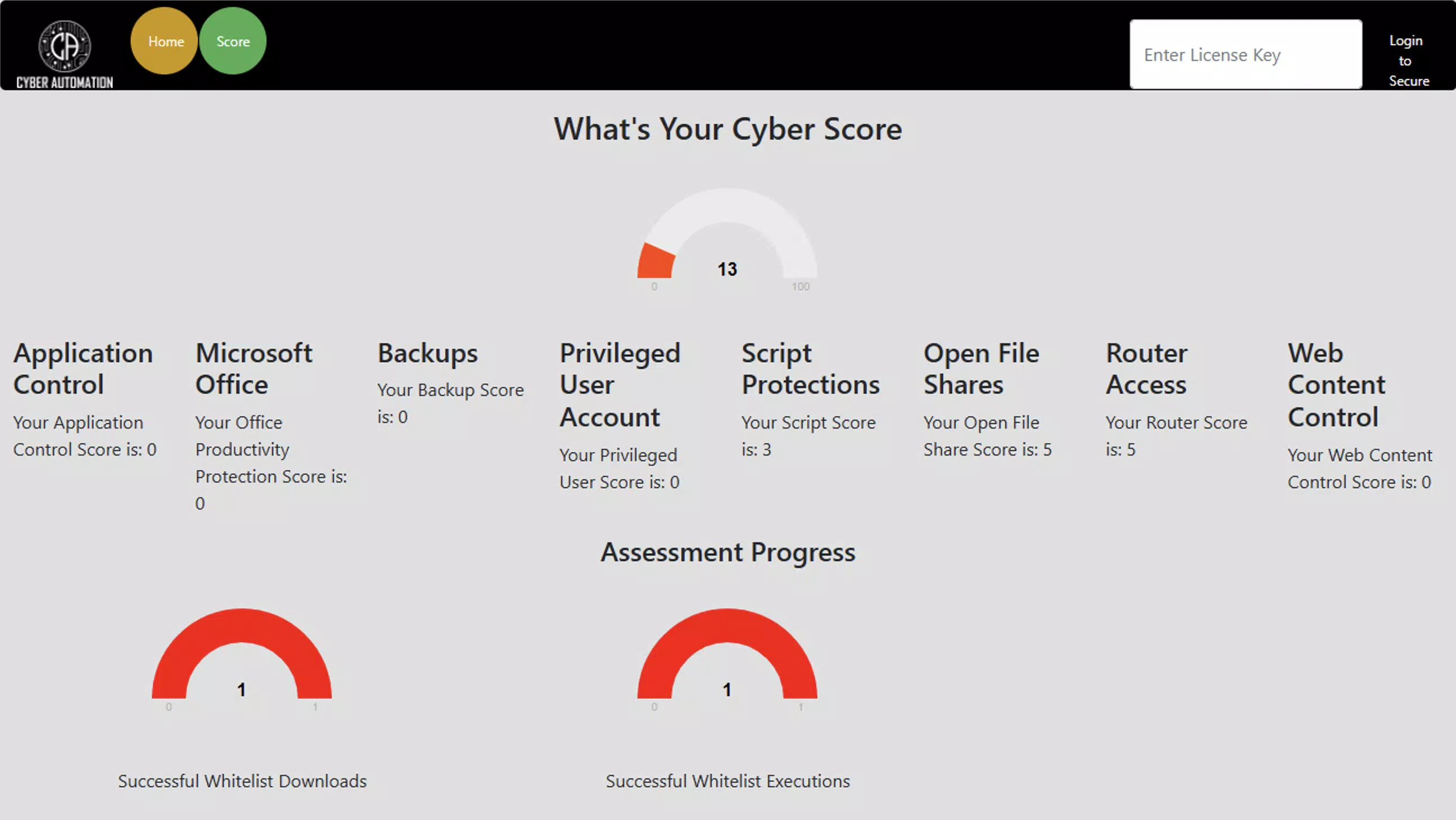
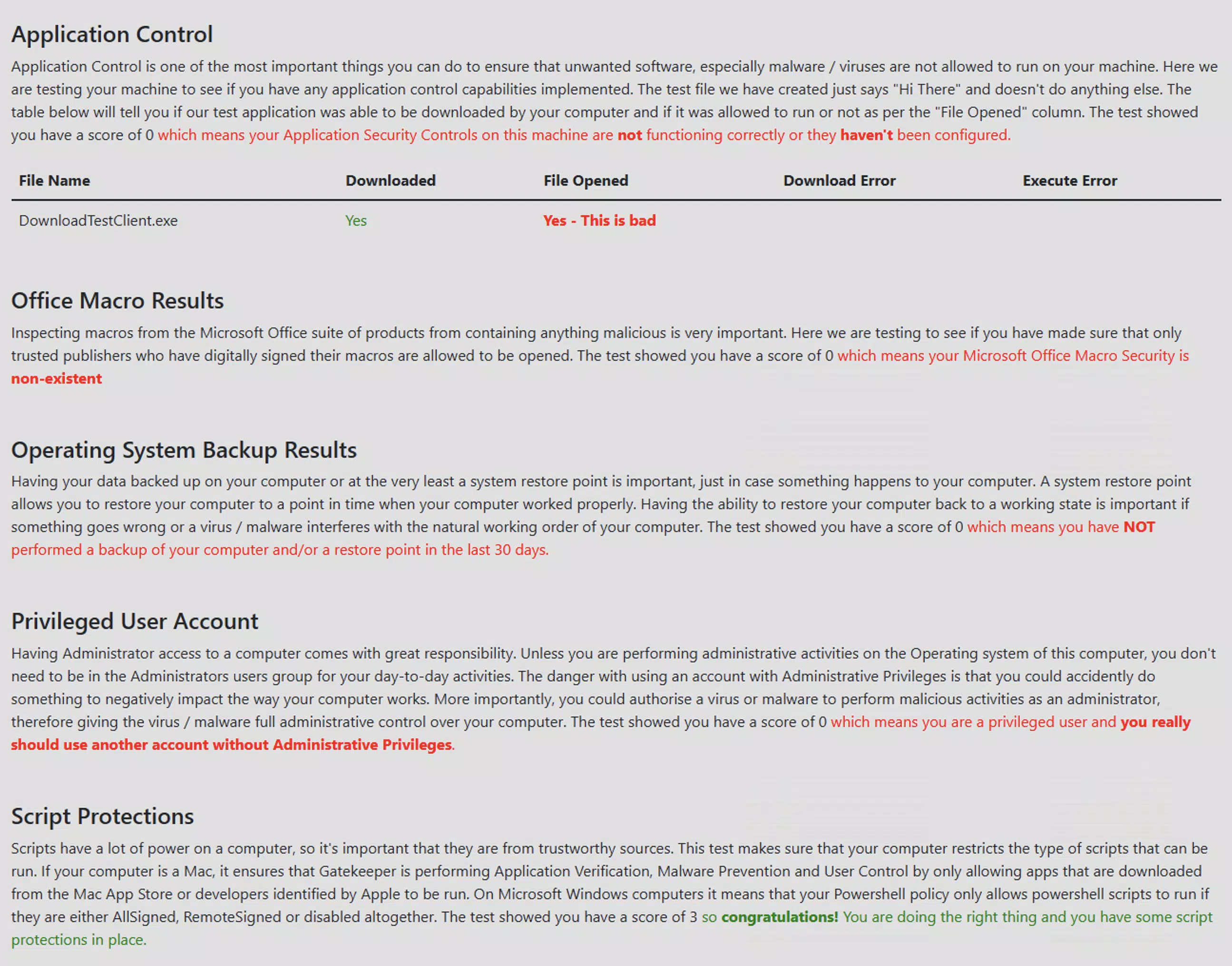
- Robust Security Testing: CyberScore performs comprehensive evaluations across multiple security domains, generating detailed HTML reports that score current configurations and highlight weaknesses. These reports serve as diagnostic tools for both novice and experienced users.
- Real-time Updates: The software supports dynamic adjustments to security settings, allowing users to implement changes immediately and align their systems with current threat intelligence.
- Extensive Whitelisting Capabilities: Users can define trusted applications across multiple file types—including executables, AppX packages, and Windows installers—limiting the execution of unverified software and reducing the risk of malware infiltration.
- System Restore Points: The tool simplifies the creation of system restore points before major changes, enabling quick recovery in case of unintended consequences or security incidents.
- User-friendly Undo Feature: A reversible interface allows users to revert any applied changes to their original state, minimizing risk during testing and configuration experimentation.
For example, a small business owner could use CyberScore to audit their office computers before deploying new software, ensuring that only approved applications are allowed to run. Similarly, a home user might run a security scan prior to downloading sensitive data, using the report to close potential gaps in their firewall or user permissions. These features collectively support a proactive security mindset, transforming reactive defense into a continuous improvement process.
Interface, UX & Performance
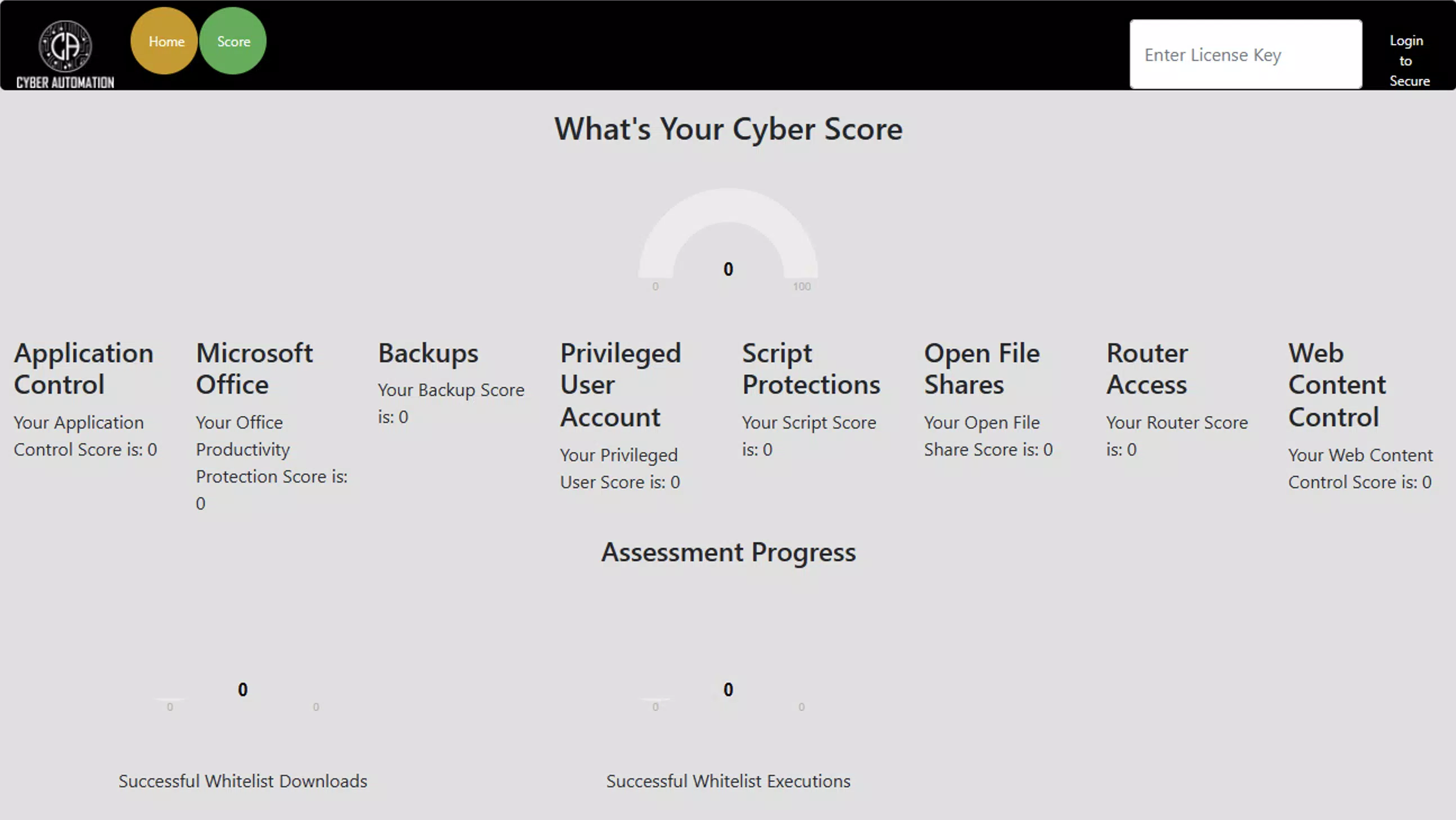
CyberScore features a clean, intuitive interface optimized for both Windows and macOS environments. The layout emphasizes clarity, with clearly labeled sections and a logical progression from scan initiation to report generation. Navigation is straightforward, guided by a central dashboard that displays key metrics and actionable recommendations. Visual design elements are minimalistic, focusing on readability and function rather than decorative flair.
Although the developer did not list formal performance metrics, the application’s 45.2 MB file size suggests efficient resource usage. It is designed to operate without significant impact on system performance during scans, ensuring smooth operation even on mid-tier devices. Responsiveness is consistent across tested configurations, with minimal lag during report rendering and configuration adjustments. Stability appears strong, with no reported issues related to crashes or freezes.
The undo functionality enhances user confidence by providing a safety net during experimentation. While the developer did not specify compatibility with older OS versions or low-memory devices, the tool’s lightweight footprint indicates broad accessibility. Overall, the user experience balances power and simplicity, making it suitable for users with varying levels of technical proficiency.
Platform Compatibility & Technical Requirements
CyberScore is available for both Windows and macOS platforms, supporting modern operating systems as of its 2024 release. The current version, 1.0.1, is distributed as a standalone application with a file size of 45.2 MB. The developer did not specify minimum OS requirements, nor did they list exact hardware specifications such as RAM or processor type. Compatibility information was not fully disclosed.
Given the application’s cross-platform availability and compact size, it is likely optimized for a wide range of devices, including laptops and desktops running up-to-date versions of Windows 10/11 and macOS Ventura or later. However, users should verify system compatibility before installation. The absence of detailed technical requirements means that installation on older or less common configurations remains uncertain. The developer did not indicate whether the app supports ARM-based processors or legacy architectures.
Pros and Cons
Pros
- Comprehensive security evaluation with detailed, actionable reports.
- Real-time configuration updates enhance responsiveness to evolving threats.
- Extensive whitelisting options improve control over application execution.
- System restore points simplify recovery and reduce risk during changes.
- Undo feature provides a safety net for experimental security adjustments.
Cons
- Specific system requirements were not listed by the developer.
- Compatibility with older operating systems is unclear.
- No information was provided about automatic update mechanisms.
- Price point of $14.99 may be considered high for casual users.
- Developer did not disclose support channels or documentation access.
FAQ
Is CyberScore safe to install on my device?
CyberScore is designed to assess and improve system security. As long as it is downloaded from official sources, it poses no known threat to your device.
Can I use CyberScore on multiple devices?
The developer did not specify licensing terms for multi-device use. Users should refer to the official purchase agreement for details.
Does CyberScore require internet access?
While the application may function offline for scanning and reporting, real-time updates could require connectivity. Specific network requirements were not disclosed.
How often should I run a security assessment?
It is recommended to run a scan before major system changes or software installations. Regular assessments help maintain a consistent security posture.
Is there a free version or trial available?
The developer did not indicate whether a trial or free version is available. The current listing shows a one-time purchase of $14.99.
Final Thoughts
CyberScore stands out as a focused, professional-grade tool for users serious about securing their digital environments. Its combination of thorough testing, real-time adaptability, and recovery safeguards makes it a valuable asset for both technical and non-technical users alike. The ability to generate clear, detailed reports empowers individuals and organizations to take control of their security posture without relying on third-party consultants.
While the lack of detailed technical documentation and support information may deter some users, the app’s lightweight design, intuitive interface, and powerful features justify its value for those prioritizing system integrity. Whether you're a small business owner, a remote worker, or a security-conscious individual, CyberScore offers a reliable way to audit and strengthen your device’s defenses.
Download CyberScore now


